With version 3.34.2, we’re shipping an update that reflects an important shift in Elementor’s direction. As we enter our tenth year of building for the WordPress ecosystem, this release aligns the developer experience with the introduction of Elementor One—the consolidation of everything we’ve built into a single, cohesive plan that spans design, performance, AI, accessibility, site management, and more. This evolution from a standalone Editor into a complete solution is a structural shift for developers: Elementor is now a broader environment to extend, featuring a central hub, shared services, and a growing set of native capabilities that live alongside your integrations. This post focuses on the structural and architectural changes that developers need to be aware of as the foundation continues to expand.
A New Navigation Foundation
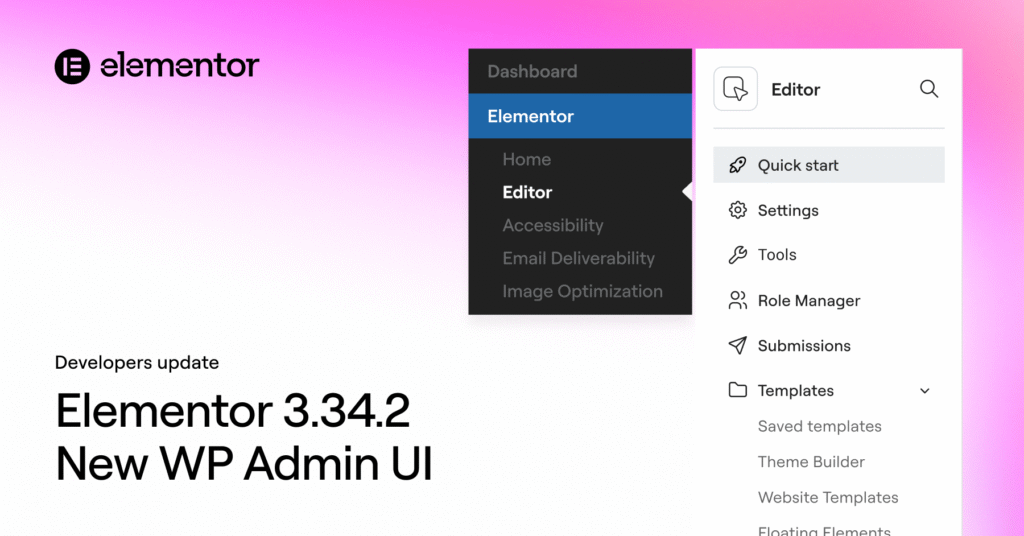
As part of this unification, 3.34.2 introduces a structural redesign of navigation inside WordPress. Elementor Home is now the primary hub for the entire Elementor experience, with the Editor nested directly beneath it. This change reflects how users actually work today, moving between creation, optimization, and management tasks rather than treating the editor as a standalone destination. The goal is to provide a clearer mental model for users while giving us a scalable structure for future capabilities.
Editor Navigation and UI Updates
Inside the Editor itself, navigation has been refined to match this new structure. It is important to note that all of your existing settings and tools remain fully accessible; they have simply been reorganized to provide a clearer user experience.
Access is now handled through a streamlined flyout menu, supported by a new internal sidebar that allows users to move between editor-specific pages without leaving context. This reduces friction, keeps workflows focused, and creates a more consistent surface for both native features and extensions.
The primary change involves the consolidation of several key areas within the menu.
For instance, Templates are now an integral part of the Editor settings, no longer appearing as a separate section in the WP Admin.
Similarly, Custom Fonts, Custom Icons, and Custom Code have been logically grouped together under a new “Custom Elements” heading inside the Editor menu.
To further streamline site management, System Info, Element Manager, and License/Connect are now consolidated under a new “System” group. This reorganization provides a more intuitive flow for users balancing page building with broader site management tasks.
Changes to Third-Party Menu Integrations
For developers maintaining third-party integrations, existing plugin menus that previously appeared under the Elementor menu are now consolidated into the Editor flyout and rendered as collapsible items within the new sidebar.
To ensure continuity, plugins registered under the Elementor menu are automatically relocated, so users will still find them where expected. However, this is a transitional measure.
Going forward, we strongly recommend registering menus as standard WordPress admin menus or placing them outside of the Editor area, rather than relying on Elementor-specific menu locations.
Unsupported Menu Implementation
It’s also important to note that unsupported or non-standard menu injection methods will no longer be rendered in the new flyout or sidebar. Any workarounds that bypass official WordPress or Elementor APIs are not supported under the new navigation system. This is part of a broader effort to keep the Editor environment predictable, performant, and easier to evolve without breaking user experiences.
What This Means for Developers
As always, your existing plugins and subscriptions remain unaffected in terms of availability, but this is a good moment to test the latest version and review how your integrations are registered and displayed. Aligning with standard WordPress menus and supported APIs will ensure your extensions remain compatible as Elementor continues to evolve from an editor into the infrastructure behind modern web creation.
Looking Ahead
These changes are foundational and intentionally forward-looking. As Elementor One continues to grow with new platform-level features, including deeper AI capabilities and the upcoming version 4 of the Editor with a CSS-first, atomic architecture, having a clean, well-defined navigation and extension model is critical. Version 3.34.2 is one of the steps that prepares both users and developers for that future.
